



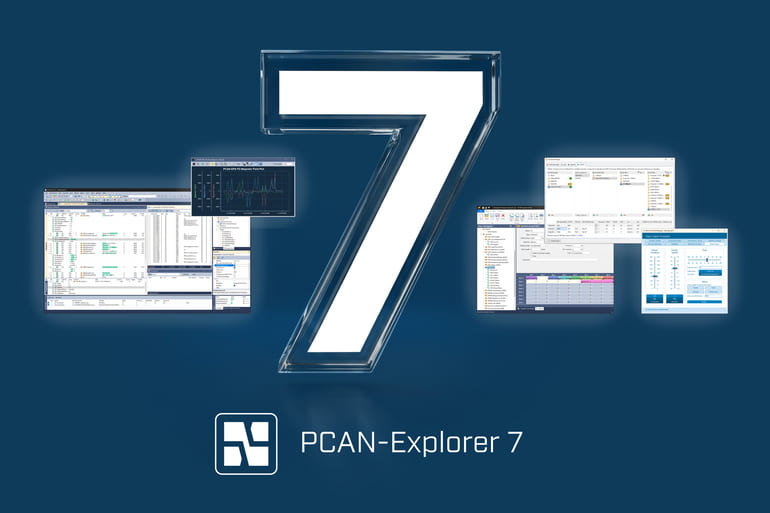
With the launch of PCAN-Explorer 7, PEAK introduces a major software upgrade featuring full CAN XL support, multiple symbol files per connection, Python scripting, and flexible licensing options, including floating licenses. While long-time users benefit from the familiar interface, engineering teams working on next-generation automotive and industrial CAN networks gain powerful new capabilities.
PCAN-Explorer 7 represents the next evolution of PEAK’s professional CAN communication software for analyzing, monitoring, and simulating CAN, CAN FD, and CAN XL networks. The update delivers full CAN XL support with higher data rates of up to 20 Mbit/s and payloads of up to 2,048 bytes, significantly enhancing performance for modern applications.
Engineers can now assign multiple description databases per connection, such as symbol files or CANdb files, allowing parallel use of several databases without the need for manual merging. The addition of Python scripting further modernizes the platform, enabling advanced automation in demanding automotive testing environments.
Another key enhancement is the introduction of a new CodeMeter-based licensing system. Users can choose between single-user and floating licenses, with optional USB license dongles that make individual licenses portable.
Trial licenses are also available, giving users the flexibility to evaluate the software before deployment. Together, these licensing options make PCAN-Explorer 7 a more adaptable solution for both individual engineers and collaborative teams.
PCAN-Explorer 7: New features, that convince
Another helpful functionality is the fine-grade trace playback, allowing users to step through trace files message by message, pause automatically on defined breakpoints, and create highly controlled test and replay scenarios. PCAN-Explorer 7 also introduces support for J1939 FD, enabling engineers who work with heavy-duty and off-highway applications to analyze and simulate next-generation protocol variants. Another practical enhancement is the highlighting of data changes in the receive list. This makes it easier to spot dynamic values, detect anomalies, and follow changing signals in real time.
The Product Manager for the PE7, Kristofer Koch, summarizes the goal of the new version as follows: “With PCAN-Explorer 7, we are anticipating the shift to CAN XL and empowering our users to be future-proof already today. Plus, we succeeded to deliver these advanced capabilities without changing the familiar interface and established workflows of version 6.” Users, that have relied for many years on previous versions of the most famous CAN software on the market, can still relate to its core functionalities, its user interface and all well-established add-ins – plus now benefit from strong new features of the future. “The new version is the essence of all previous editions combined with new capabilities”, adds Koch. “This means, we have integrated profound user feedback over years and added state-of-the-art technologies and functionalities to lift the Explorer to the next evolution stage.”
PCAN-Explorer: The standard CAN software
PCAN-Explorer has long been known as a powerful and versatile Windows software tool for working with CAN and CAN FD networks. Its core functionality is built around simultaneous access to multiple CAN channels, which allows users to observe, analyze, and log communication in complex network environments. A central element is the symbolic representation of messages, which transforms raw CAN data into readable and meaningful signal information using symbol files. In everyday use, PCAN-Explorer enables both manual and periodic transmission of messages, making it ideal for testing, network trouble shooting and system development.
The new Features at a Glance
- Support for CAN XL
- Support for J1939 FD
- Multiple symbol files per connection
- Python scripting support
- Fine-grade trace playback with step control, break points, and playback areas
- Highlighting of data changes in the receive list
- Improved performance with 64-bit foundation and separate UI and communication engines
- Flexible license options: Single, Floating, Trial, Add-Ins with license dongle option
- Optional maintenance contracts for updates and support
- All proven PCAN-Explorer 6 core functions included
